
Manufacturing engineering For engineering teams
AI for the engineers who own the process data.
Eighteen months of parameters and results. A folder of cross-sections. A part that needs a spray path before the cell is booked. Patok Lab is the technical workbench for that work — on the company machine, without uploading a single recipe to a public AI.
What an engineer does with it
- 01
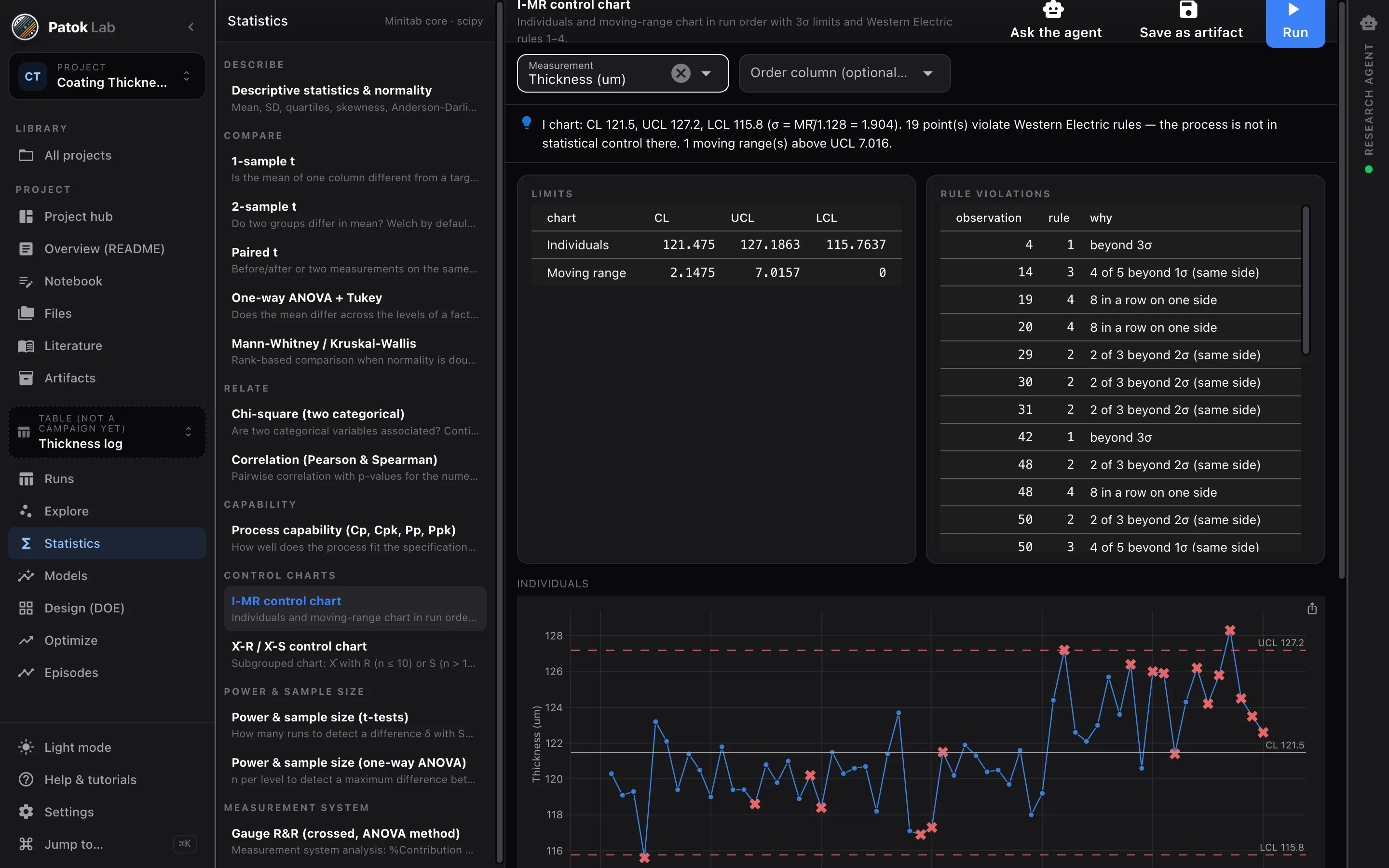
Analyze process and quality data
The production log as a table: control charts, capability, comparisons, ANOVA by supplier or shift, and models that say which variables explain the defects.
- 02
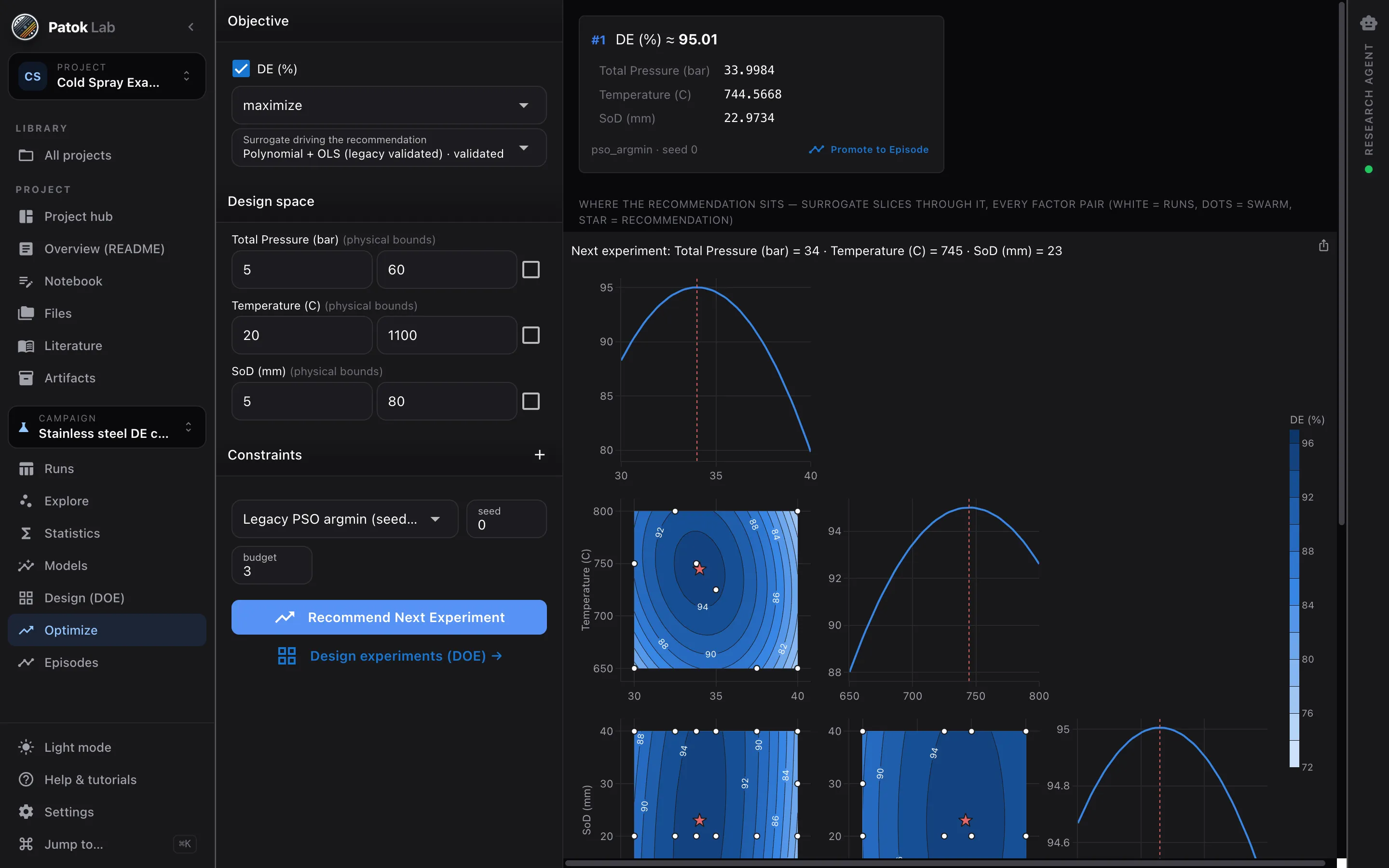
Optimize parameters
A surrogate on the runs you already have, bounds from the equipment, constraints on the responses you must keep — and the next trial recommended, not guessed.
- 03
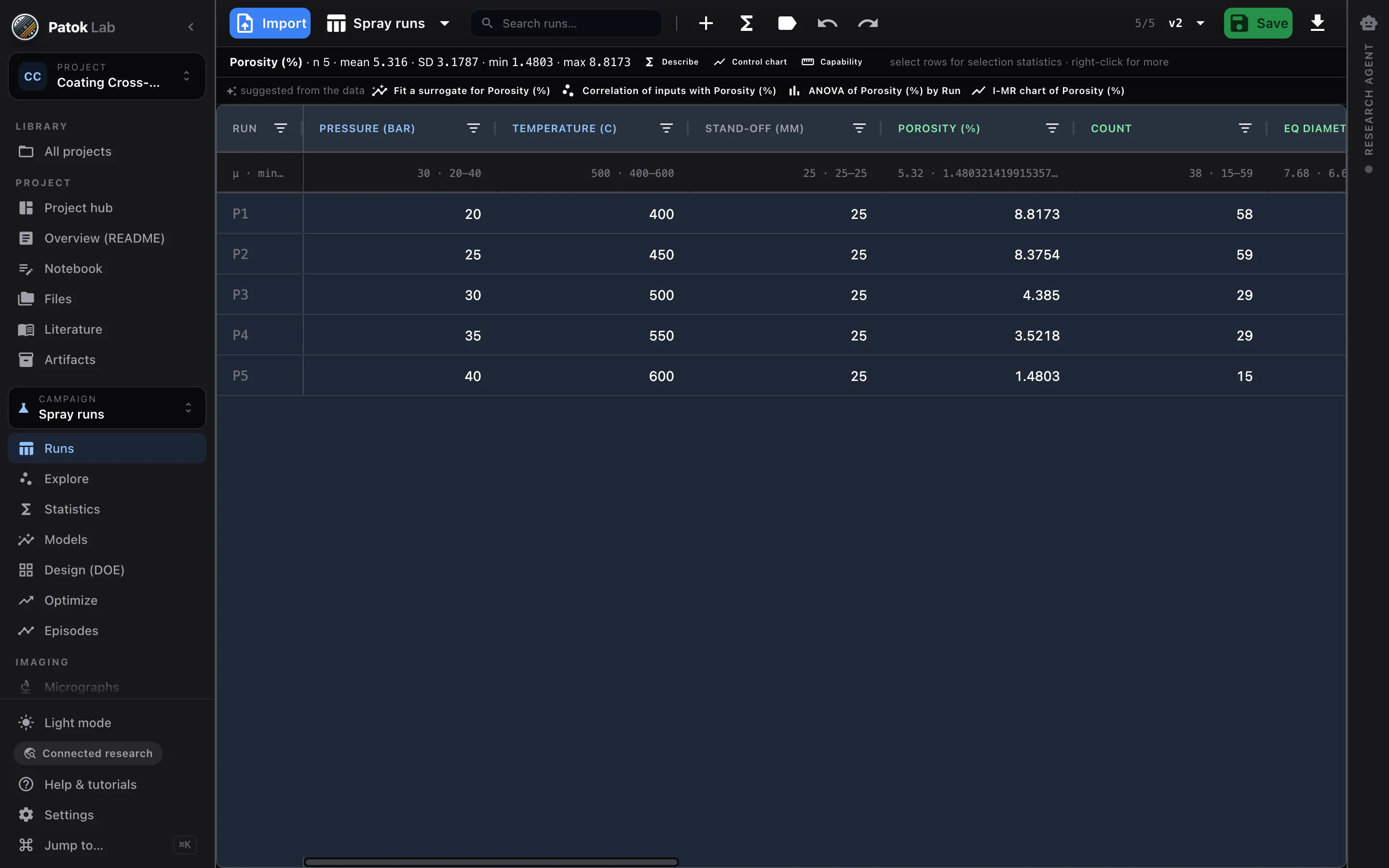
Measure what the process made
Porosity, thickness, particle size from micrographs, with the mask behind every number, straight into the same table.
- 04
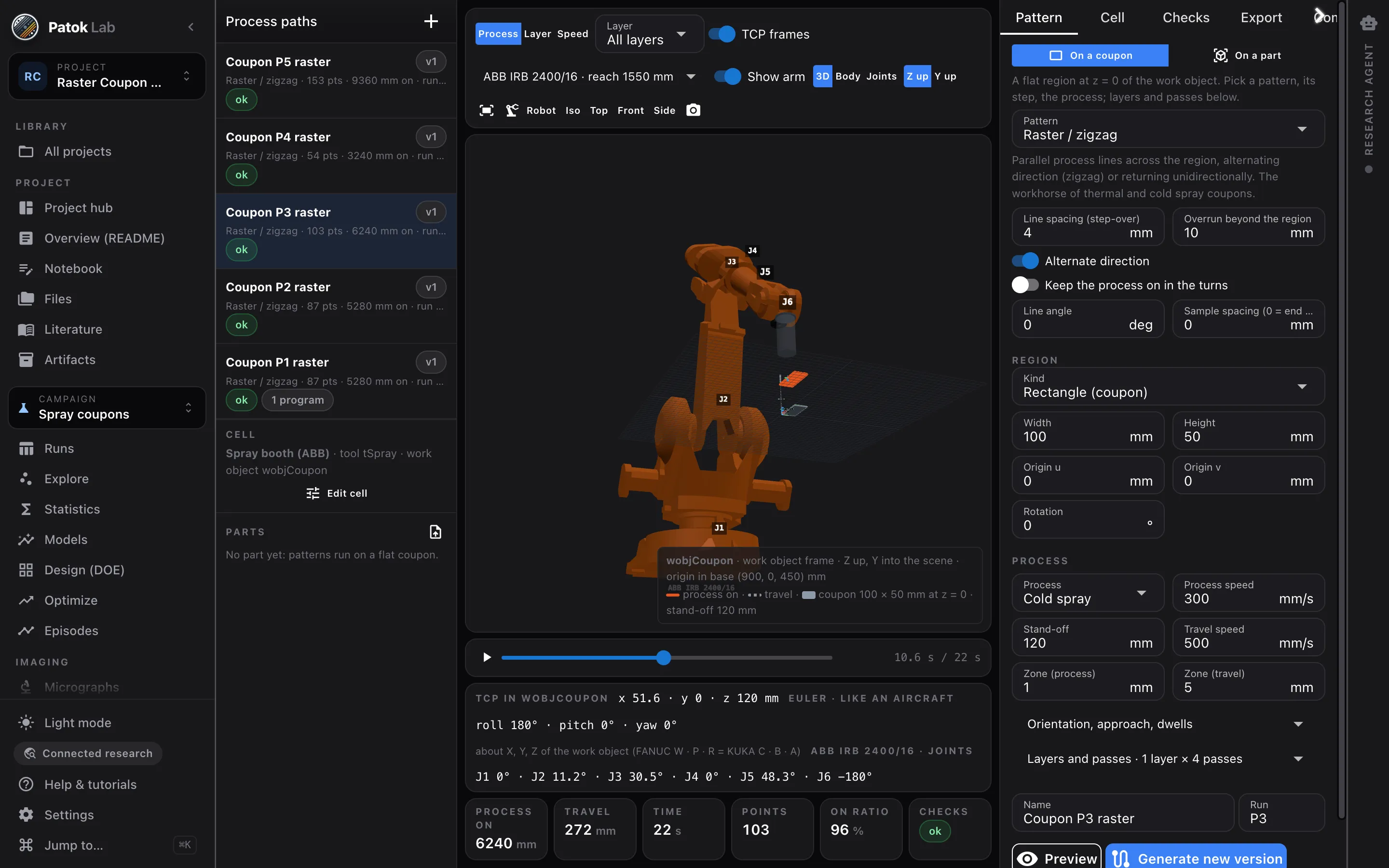
Write the robot path
A raster or a build-up on a coupon or a part, checked against your cell, exported for your controller, kept with the run.
Why it fits an industrial environment
- Runs on the engineer’s machine; project = a folder on your file server if you want it there.
- Three connectivity postures: air-gapped, connected research, cloud-enhanced — chosen by you, never switched by the software.
- No accounts, no telemetry, no update checks in air-gapped mode; Settings → Privacy lists what could ever leave.
- Local AI models served by the app itself — or your institution’s own model server.
Not Patok Enterprise
- This is the workbench one engineer uses on technical data. Orders, WIP, ERP data, floor capture and delivery dates are Patok Enterprise (Gemba, Office, Cognitive) on patok.in — a different product, no rollout needed for Patok Lab.
- No OS-level sandboxing is claimed; agent-generated code runs with your user permissions and mutating actions need your confirmation.
Typical starting points
Welding
Current, travel speed and gas flow against porosity and a pass/fail verdict: classifiers and regression on the same table, and a torch preset for the path.
Coating line
Thickness in production order: I-MR chart, capability to the spec, before/after a shift — then porosity from the cross-sections.
New part, new path
A spray or deposition path on the imported mesh, checked and exported before anyone touches the pendant.
Early access
Early access for people who run real processes — labs, engineering teams and shops.
Bring a customer drawing, a table of runs, a folder of micrographs or a part you spray, weld or mill. We want Patok Lab used on live work and told what breaks. The Community edition is free, with no time limit; macOS, Windows and Linux.
- macOS, Windows and Linux — tell us which one you need first
- Direct line to the founder during early access
- Optional workshop for your group or team: bring a job, leave with an artifact
- 01Tell us what you would bringA drawing, a table of runs, a folder of micrographs, a part, a line.
- 02The build arrives by e-mailInstaller, a licence you paste once, and a short guide for the bench you came for.
- 03Reply with your fileWe look at it before we send it, and a person answers — not a form.
Get access Bring a drawing, some photos, a table or a part. Or just tell it.
Bringing it to a team, a shop or a university group? Ask for your team →
FAQ
Questions engineers and researchers ask first.
Does IT need to approve a cloud service?
No cloud service is involved. Patok Lab is a desktop application; in air-gapped mode it makes no network connection at all. A remote AI provider is used only if you switch to cloud-enhanced mode.
Can several engineers use it?
Each installation is one workbench; a project is a folder, so it can live on a shared drive. Team and site licensing is part of the conversation — write to us.
We already have Minitab / JMP.
Keep them for what they do well. Patok Lab is the loop around the table — model, recommend, run, record, with the micrograph and the robot path in the same project — with a local AI that operates the same tools.