
Scientific Imaging & Metrology Available
Turn micrographs into numbers you can defend.
Calibrate the scale, draw a region, build a recipe you can read. Porosity, phase fractions, particle and pore statistics, coating thickness — each with its mask and per-object table, and each a column in your runs table.
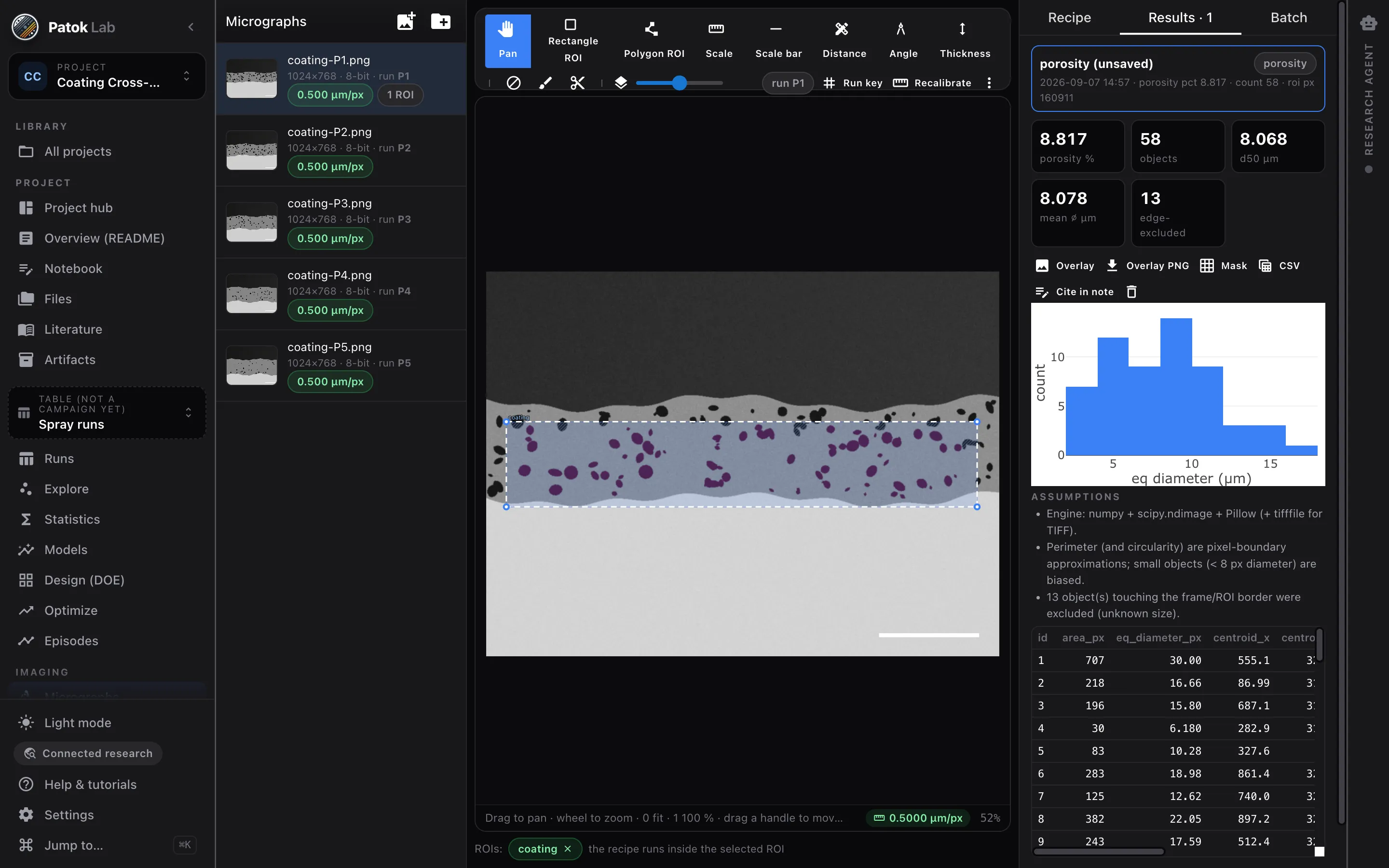
Image → scale → region → recipe → result → runs table
- 01
Calibrate
Two points of a known distance, the scale bar, the file’s resolution tag, or µm per pixel. Until then the badge says uncalibrated and the app refuses to give you a number.
- 02
Recipe, not a black box
An ordered, repeatable step list: median, Otsu or multi-Otsu, minimum size, exclude edge. Click any step and see the mask up to that step. Manual corrections become steps with coordinates.
- 03
Measure
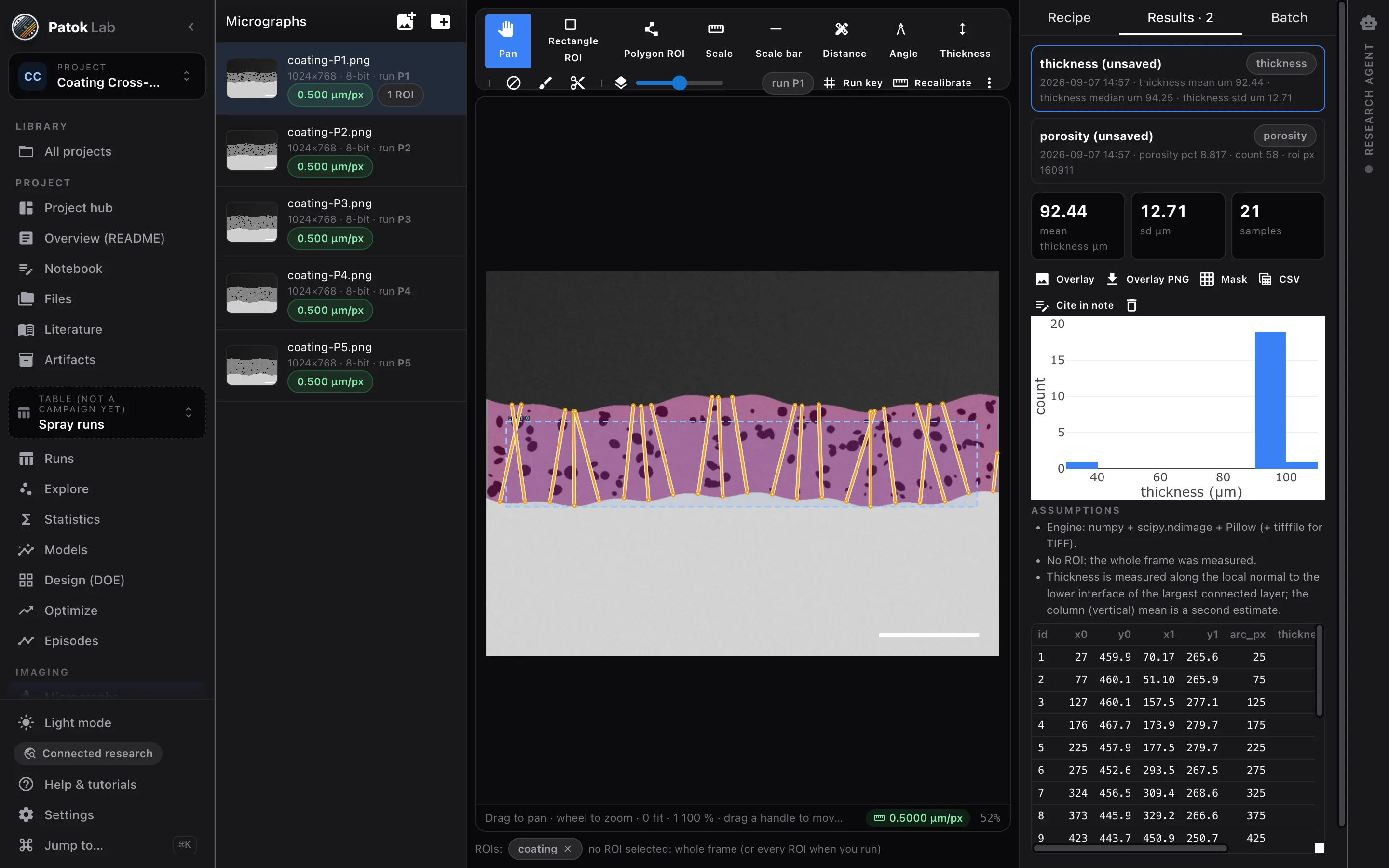
Porosity and area fractions, pore and particle counts with d10/d50/d90, aspect ratio and circularity, coating thickness normal to the interface every N µm, crack heuristics, distances and angles.
- 04
Into the table
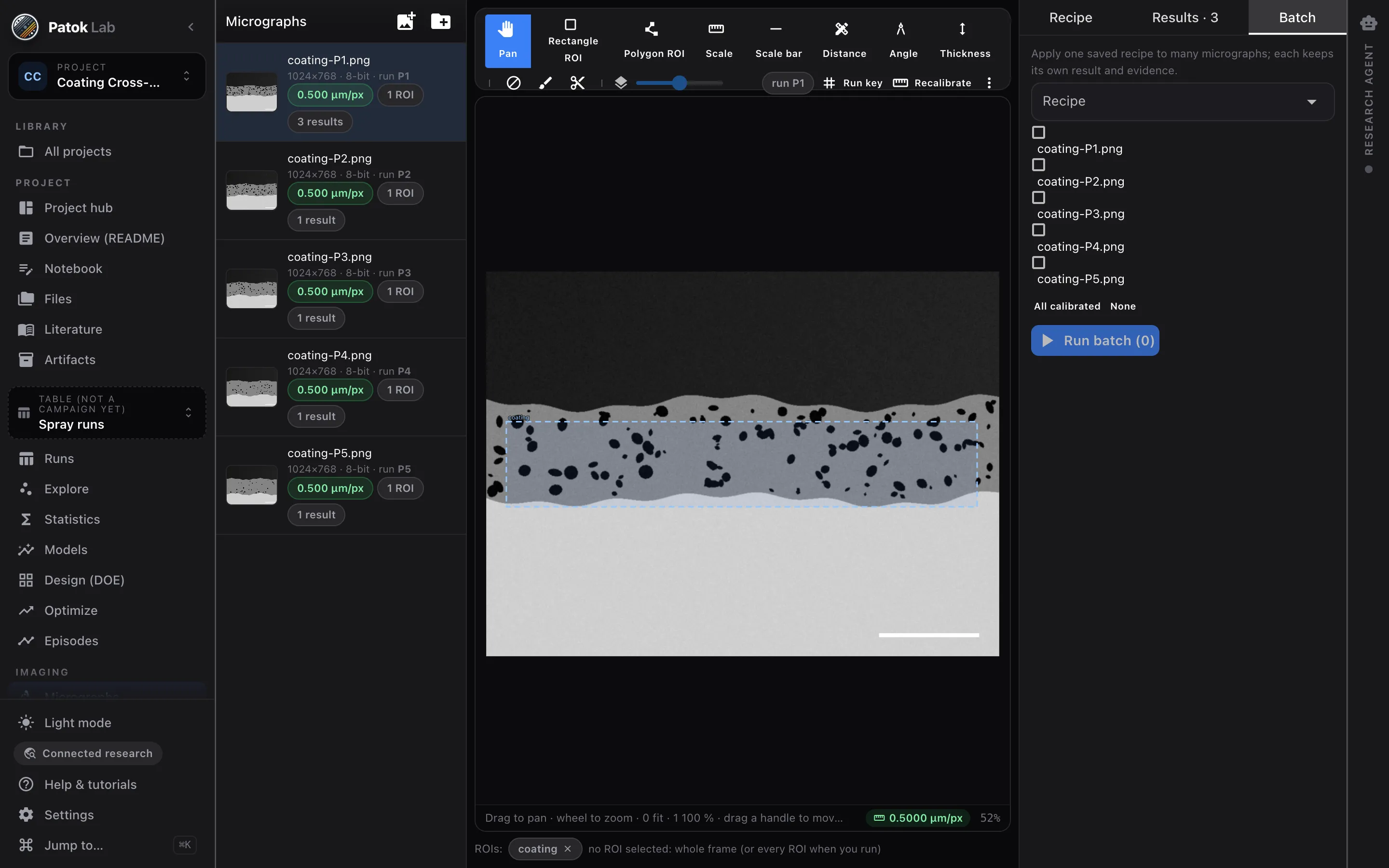
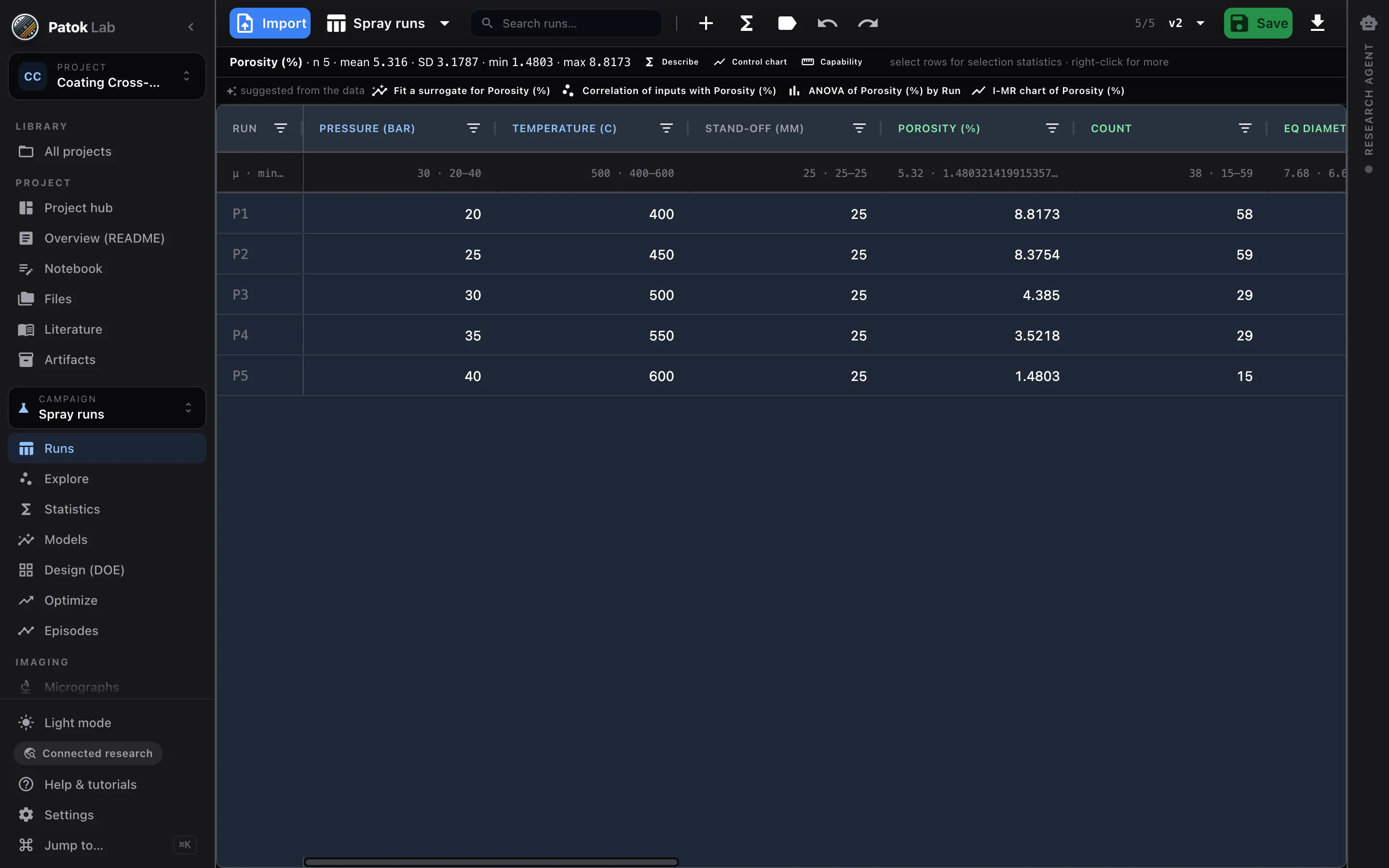
One saved recipe over every micrograph; results become response columns of the runs table, matched by run key, with provenance back to each mask. From here: statistics, models, the next experiment.
See it in one minute
What you can check
- Every result writes summary.json, measurements.csv, mask.png and overlay.png next to the image.
- A recipe run twice on the same calibrated image gives the same bytes.
- PNG, TIFF (8- and 16-bit, resolution tags read), JPG and BMP.
- Two example projects ship: coating cross-sections and powder particle size distribution.
What it is not
- Not “computer vision”: no neural networks, no learned models, no cameras — a recipe you can read, with the mask it produced.
- No ASTM grain-size counting yet, and the scale bar is measured, never read from its printed text.
- Scanned or scaled images without a known length stay in pixels, on purpose.
Typical starting points
Porosity of a coating batch
Five cross-sections, one recipe, mean and spread — and the numbers next to the spray parameters that made them.
Coating thickness to a spec
Sampled every 25 µm normal to the interface, the way a caliper would sit, not straight down the page.
Powder lots
d10, d50, d90 from segmented particles, lot by lot, with the per-particle table.
Early access
Early access for people who run real processes — labs, engineering teams and shops.
Bring a customer drawing, a table of runs, a folder of micrographs or a part you spray, weld or mill. We want Patok Lab used on live work and told what breaks. The Community edition is free, with no time limit; macOS, Windows and Linux.
- macOS, Windows and Linux — tell us which one you need first
- Direct line to the founder during early access
- Optional workshop for your group or team: bring a job, leave with an artifact
- 01Tell us what you would bringA drawing, a table of runs, a folder of micrographs, a part, a line.
- 02The build arrives by e-mailInstaller, a licence you paste once, and a short guide for the bench you came for.
- 03Reply with your fileWe look at it before we send it, and a person answers — not a form.
Get access Bring a drawing, some photos, a table or a part. Or just tell it.
Bringing it to a team, a shop or a university group? Ask for your team →
FAQ
Questions engineers and researchers ask first.
Which measurements exist today?
Porosity / area fraction, particles (count, equivalent diameter statistics, aspect ratio, circularity), phases, coating thickness (mean, median, spread, min, max, per-column), cracks (count, length, width; heuristic), plus manual distance, angle and thickness tools.
Can the agent measure for me?
It can propose and run recipes, measure thickness, and push results to the table — but it only quotes what a measurement returned. It cannot invent a value.
Is Imaging in the current release?
Yes. Micrograph import, calibration, ROIs and single-image measurements are in the Community edition; recipes over batches, comparison and dataset export are the imaging metrology engine, included in a license.